
Dockerized Self Hosted Search Engine with SearXNG
6 min read

After a couple of blog posts about AI, I wanted to switch things up a little. Well, not completely, this is a thing that you can integrate AI with as well. So yes, still AI stuff, but there’s a bit of Docker this time.
This started when I was looking for AI that can actually search and get valid/non hallucinated URLs from the web. Yes, Perplexity’s popular for this, and there’s also Exa AI if you’ve never heard about that before. But hey we’re not gonna discuss that here, maybe later. So on to Searxng.
What Is SearXNG?
The first thing worth mentioning is that SearXNG is not technically a traditional search engine. It does not crawl and index the internet like Google or Bing do.
Instead, SearXNG works as a metasearch engine. It aggregates or compiles results from multiple search engines and combines them into one interface. So when you search something, SearXNG sends requests to several search providers at once, then displays the results together in a cleaner format.
That means you can pull results from Google, DuckDuckGo, Brave, Wikipedia, Reddit, and many other sources without directly relying on only one platform. It’s lightweight for something that can aggregate so many engines at the same time.
SearXNG removes a lot of tracking data before requests are sent out, and the search engine’s interface itself is free from ads and clutters. It feels closer to how searching used to feel years many ago.
Guide to Self Hosting SearXNG with Docker

There are a lot of different ways to deploy this metasearch engine. Thankfully, with Docker, setting up SearXNG is much easier than it sounds. Using Docker removes most of the annoying dependency setup and keeps everything isolated inside your own private instance.
Before starting, here are the prerequisites:
- Docker installed
- Basic terminal access (PowerShell or CMD prompt is fine)
- Any code editor like Visual Studio Code or Sublime Text
Installation Steps
There are a lot of different ways to do this actually, but the setup would be pretty simple if Docker is already installed on your machine. I’m using Docker Desktop for Windows together with the VSCode terminal here.
1. Create the Searxng Environment
You’ll need a working directory for the project first. You can create one manually or just run:
mkdir -p ./searxng/core-config/
cd ./searxng/
This basically creates the folders needed for the SearXNG setup and moves you into the project directory.
2. Fetch the Latest Docker Compose Template
Next, fetch the official Docker Compose template directly from the SearXNG GitHub repository.
Run:
curl -fsSL \
    -O https://raw.githubusercontent.com/searxng/searxng/master/container/docker-compose.yml \
    -O https://raw.githubusercontent.com/searxng/searxng/master/container/.env.example
Or if that doesn’t work:
Invoke-WebRequest -Uri "https://raw.githubusercontent.com/searxng/searxng/master/container/docker-compose.yml" -OutFile "docker-compose.yml"
Invoke-WebRequest -Uri "https://raw.githubusercontent.com/searxng/searxng/master/container/.env.example" -OutFile ".env"
This downloads the compose file and the default environment configuration needed for the container setup.
3. Edit the .env File
You can then copy the .env.example file and edit the values however you want depending on your setup.
Things like ports, hostnames, instance names, and secret values can all be configured here.
4. Build and Start the Containers
Once everything looks good, start the containers with:
docker compose up -dAnd if you ever want to stop the setup:
docker compose downDocker will automatically pull the latest images and start the services in the background. After a minute or so, you should see the containers running inside Docker Desktop.
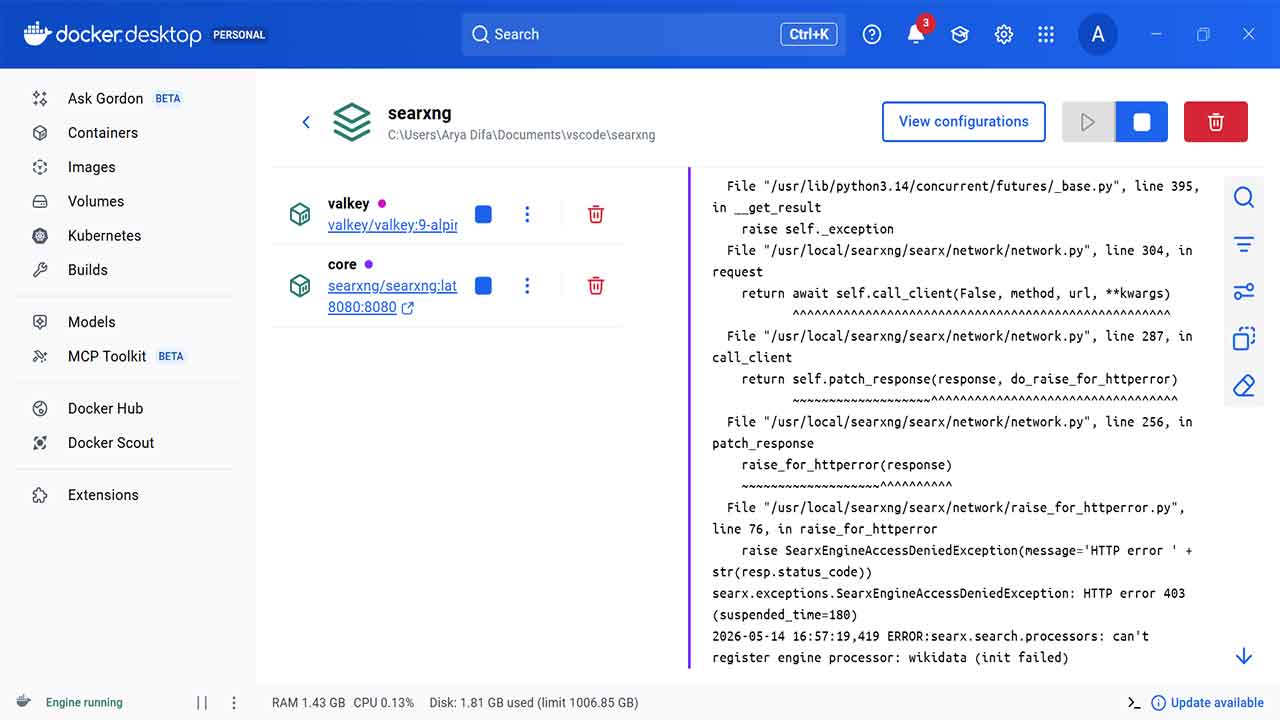
5. Access Your SearXNG Instance
SearXNG should now be live at http://localhost:8080. Open it in your browser and you should immediately see the search interface running locally on your machine.
You can already start testing searches, enabling categories, changing themes, or customizing which search engines are enabled.
More Configurations: settings.yml, Limiter, and Public Instances
Once the basic setup is running, you’ll probably want to make more modifications. The main one is usually the settings.yml file, especially if you plan to integrate SearXNG with AI tools or expose the instance publicly.
Another important thing is the limiter configuration. If your instance starts making too many requests, some search engines can rate limit or temporarily block it.
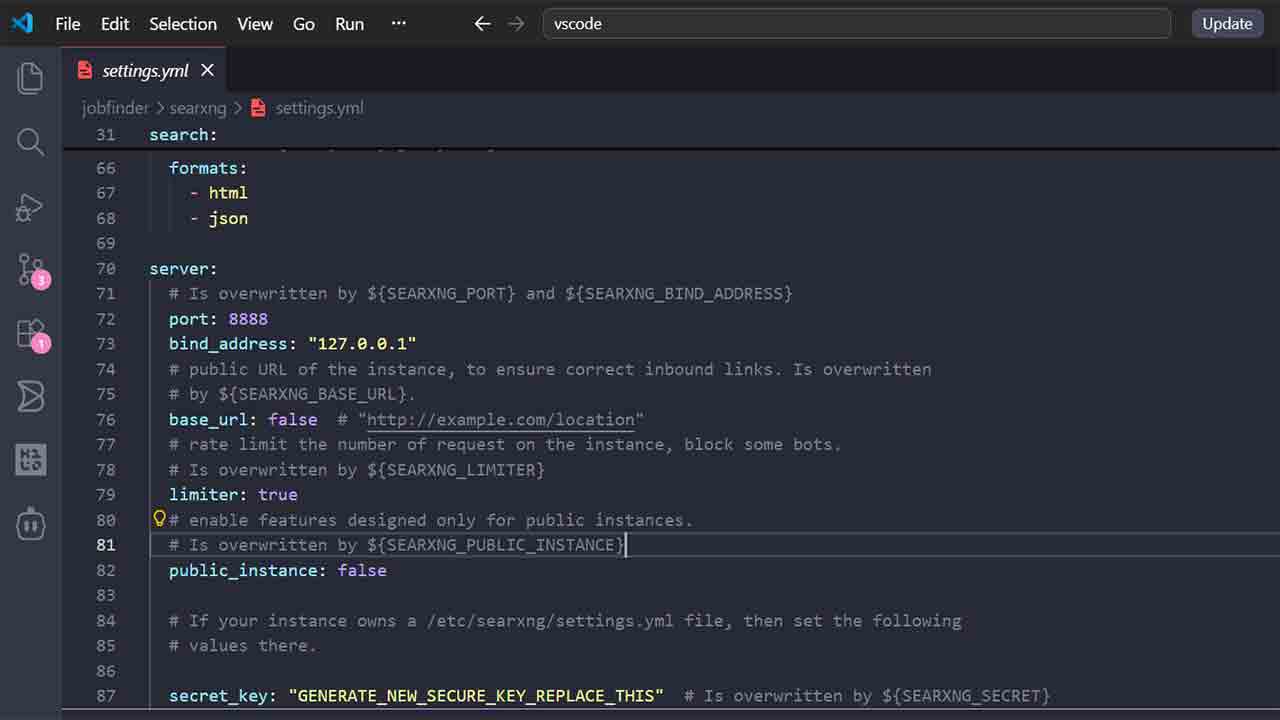
This matters more if you plan to make your instance public or use it heavily for AI integrations. Thankfully, the official documentation already explains this pretty well. You can find the limiter documentation here.
The docs cover things like:
- request throttling
- IP limits
- bot protection
- reducing engine bans
- public instance recommendations
For small personal setups though, the default configuration should work perfectly fine out of the box without much tweaks.
Alternative to Self Hosting
Not everyone wants to manage containers or maintain a VPS, and honestly that is perfectly fine. One nice thing about SearXNG is that there are already many public hosted instances available online. You can find them here at searx.space
Public instances let you try the experience immediately without installing anything. They are useful for testing, lightweight browsing, or experimenting with free public API instances.
There are some tradeoffs though. Since somebody else runs the server, you still have to trust them not to log queries or monitor your usage. Popular public instances can also run into rate limits or temporary blocks from certain search engines.
Searxng: What You Can Do With It
The most obvious use case is simply replacing your daily search engine. The interface is cleaner, less distracting, and feels much lighter compared to modern commercial search platforms.
Aggregate Results With Different Search Engines
Metasearching is useful when you want a broader overview of a topic or just faster answers from different sources. When you submit a query, SearXNG fetches results on your behalf, so technically you are not directly interacting with the individual search engines themselves.
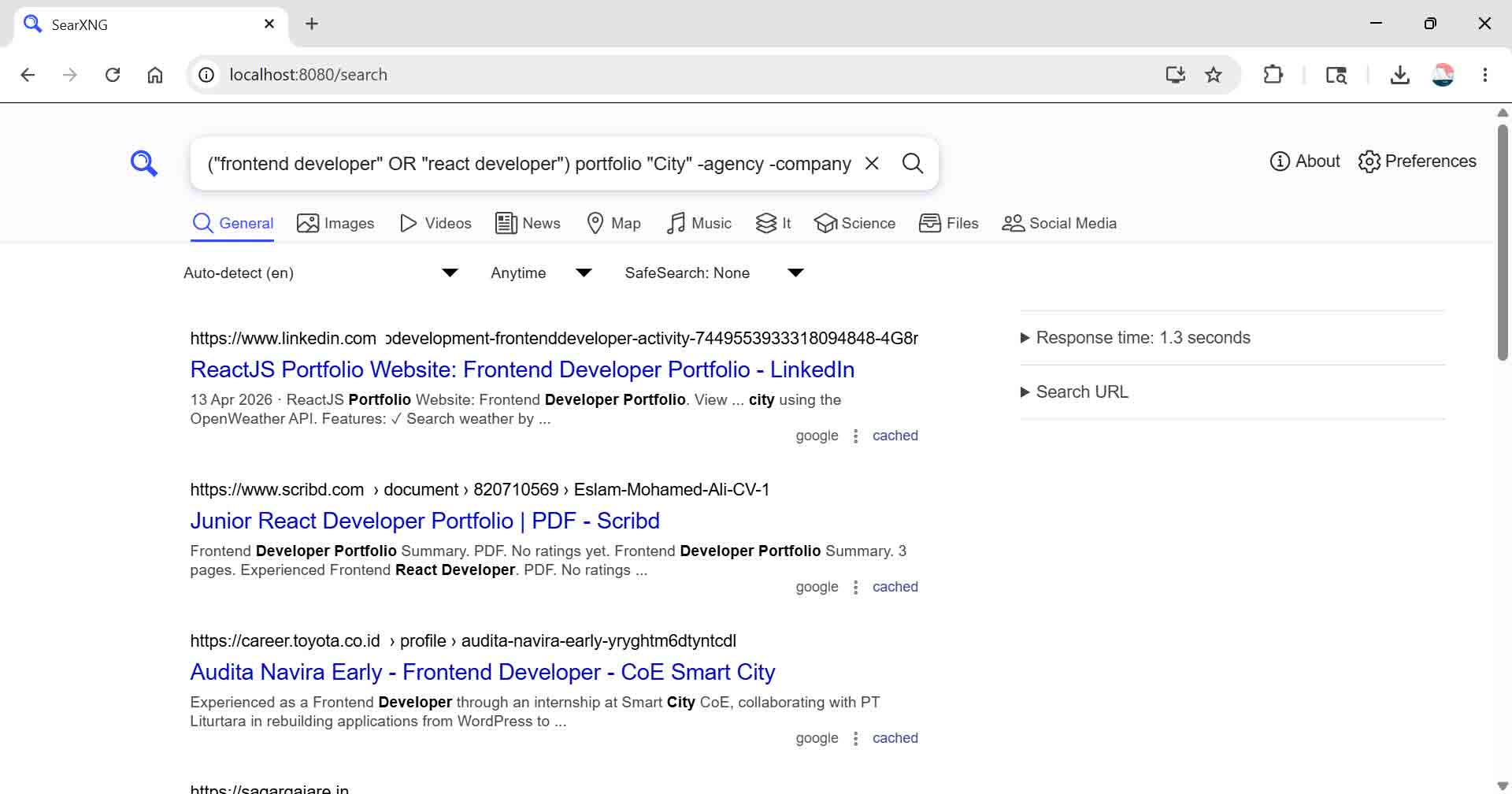
I found this especially useful when searching for very specific things using boolean operators and advanced search queries. Sometimes Google’s search operators still end up giving repetitive or overly optimized results, and metasearching can be a solution to that. For research, troubleshooting, niche forums, or technical documentation, this becomes surprisingly handy.
AI integration
The AI integration side is probably the most exciting part right now. Combining SearXNG with local LLMs creates a private AI search workflow that does not fully depend on external providers. For developers and self-hosting enthusiasts, this is an opportunity to experiment.
You can build your own AI assistant with live web access while still keeping most of the stack local and under your control. It also feels like one of the more practical ways to give local AI models updated information without relying entirely on expensive APIs or external services.
Also read: 5 Top Free AI APIs for Developers to Experiment With
Final thoughts
There are actually quite a few metasearch engines out there besides SearXNG, like Whoogle or LibreX. SearXNG is just one option, but it stands out because you can self host it with Docker and fits naturally into modern self-hosted setups.
About the AI integration, using a metasearch engine as the search layer for AI tools feels like a practical way to give AI models access to fresh search results. For something that is lightweight, SearXNG is quite flexible.